

777pub Deposit: GCash Steps, Bonus and Limits
Deposit at 777pub starts inside the cashier, where GCash choices, preset Peso amounts, QR instructions, and first-deposit bonuses sit in one place. A smooth payment mostly comes down to three details: Select the correct amount, use the newest QR code, and check the bonus setting before sending money.
Deposit Options Inside the 777pub Cashier
Opening the cashier at 777pub puts Deposit and Withdraw in separate sections, so the first step is simply making sure Deposit is active. From there, GCash payment routes appear across the top of the cashier, followed by an amount field and several ready-made deposit choices.
The visible presets cover a wide range:
- ₱100
- ₱200
- ₱300
- ₱500
- ₱1,000
- ₱2,000
- ₱3,000
- ₱5,000
- ₱10,000
- ₱20,000
- ₱30,000
- ₱50,000
These figures are useful because they make common Deposit amounts quick to select. They should not automatically be treated as hard minimum and maximum limits, however. The cashier also includes an amount-entry field, so a preset is better understood as a convenient choice rather than proof that no other amount can be accepted.
Choosing the GCash Route
GCash is one of the clearest payment choices visible in the Deposit cashier. The important part is choosing the currently available route before entering the amount.
A player who deposited yesterday should not assume that yesterday’s payment details are still the correct ones today. Payment channels can change, and the cashier is designed to provide the details for the current transaction.
That makes the sequence important: Open Deposit, select the GCash route, choose the amount, then continue to the payment instructions.
How to Make a Deposit at 777pub
A Deposit is simple when each step is completed in order. Most payment problems happen when someone skips ahead, reuses an old QR image, or sends an amount that does not match the cashier request.
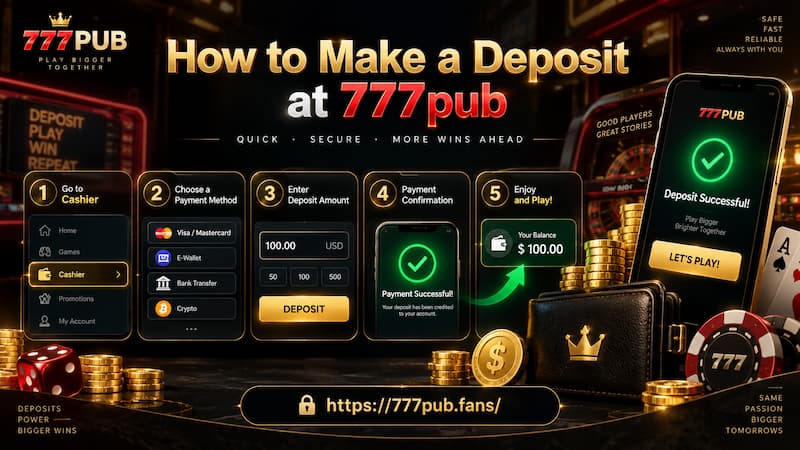
How to Make a Deposit at 777pub
Use the following process:
- Open the cashier and select Deposit.
- Choose the GCash payment option currently available.
- Enter an amount or tap one of the preset Peso amounts.
- Check whether With bonus is enabled.
- Continue until the current QR code or payment instruction appears.
- Open GCash and complete the payment using the exact requested amount.
- Return to the cashier and check that the balance has been credited.
The transaction should be treated as one complete sequence rather than two separate actions. Selecting ₱1,000 in the cashier and then independently deciding to send ₱1,050 through GCash creates an amount mismatch, even though the difference may seem small.
Match the Deposit Amount Exactly
The Deposit notes specifically tell users to follow the amount shown in the cashier. That detail is easy to overlook because preset buttons make the process feel automatic.
For example, if the cashier request is ₱500, send exactly ₱500. Do not round it to ₱510, add a little extra, or reduce it because of an assumption about fees.
A Deposit amount is not an estimate. The cashier amount and the GCash payment should match as one transaction.
This becomes even more important when several payments are made during the same session. Keeping each request tied to its exact amount makes it much easier to identify which transaction belongs to which cashier entry.
Use the Latest QR Code
The second important instruction is to use the newest QR code generated for each recharge.
Saving a QR image may seem convenient, but an old QR can belong to an earlier transaction or payment route. A fresh Deposit should therefore start with fresh cashier details.
A simple habit helps:
- Generate the QR.
- Pay that specific request.
- Confirm the balance.
- Start again from the cashier for the next Deposit.
That takes a few extra seconds and avoids one of the most preventable payment mistakes.
First-Deposit Bonus in the Cashier
The faded white figures above the Deposit presets are first-deposit bonus amounts. They are not extra amounts that need to be paid.
For example, the ₱100 preset displays +₱50, while ₱1,000 displays +₱500. The relationship continues until the bonus reaches ₱10,000.
| Deposit | First-deposit bonus shown |
| ₱100 | +₱50 |
| ₱200 | +₱100 |
| ₱300 | +₱150 |
| ₱500 | +₱250 |
| ₱1,000 | +₱500 |
| ₱2,000 | +₱1,000 |
| ₱3,000 | +₱1,500 |
| ₱5,000 | +₱2,500 |
| ₱10,000 | +₱5,000 |
| ₱20,000 | +₱10,000 |
| ₱30,000 | +₱10,000 |
| ₱50,000 | +₱10,000 |
How the Bonus Scale Changes
From ₱100 through ₱20,000, the displayed first-deposit bonus equals 50% of the Deposit.
That makes the early tiers easy to compare:
- ₱500 Deposit → +₱250 bonus
- ₱2,000 Deposit → +₱1,000 bonus
- ₱10,000 Deposit → +₱5,000 bonus
- ₱20,000 Deposit → +₱10,000 bonus
After ₱20,000, the pattern changes. Both the ₱30,000 and ₱50,000 presets continue to display +₱10,000 rather than increasing proportionally.
That distinction is useful when choosing a Deposit. Someone selecting ₱50,000 is committing ₱30,000 more than someone selecting ₱20,000, but the displayed first-deposit bonus remains the same.
A bigger preset therefore does not automatically mean better bonus value.
Check the “With Bonus” Box
The cashier includes a With bonus checkbox, and it is visibly enabled in the Deposit screen.
That deserves attention before payment. Bonus credit can be different from cash Deposit balance, so the decision should be deliberate rather than accidental.
Before confirming, check:
- Whether the bonus option is selected.
- Which 777pub promotion is attached to the deposit.
- Any conditions shown for using bonus funds.
- Whether the selected Deposit tier still gives the expected bonus.
Do not judge a Deposit only by the combined balance shown after payment. Knowing how much came from your own payment and how much came from the promotion gives a much clearer picture of the account balance.
Choosing a Deposit Amount
The best Deposit amount is not automatically the preset with the biggest number beside it.
Start with the amount you actually intend to use. Then compare the bonus attached to that amount.
Consider a simple example. A ₱20,000 Deposit displays a +₱10,000 first-deposit bonus. Moving up to ₱30,000 adds another ₱10,000 of personal funds, yet the displayed bonus remains +₱10,000. Moving to ₱50,000 adds even more Deposit money without increasing the shown bonus.
For someone focused on bonus proportion, ₱20,000 is therefore different from the higher visible tiers even though all three show the same +₱10,000 promotional amount.
That does not make one Deposit universally better than another. It simply means the decision should be based on intended spending rather than the assumption that every larger preset receives a larger reward.
Checks Before Confirming a Deposit
A quick review before opening GCash can prevent a much longer support conversation later.
Check four things:
- The intended GCash route is selected.
- The Deposit amount is correct.
- The With bonus setting matches your choice.
- The QR code belongs to the current Deposit request.
Once payment is complete, keep the GCash confirmation until the balance appears correctly.
Useful records include:
- Amount sent
- Transaction time
- GCash reference number
- Screenshot of the completed payment
These details may seem unnecessary when everything works normally. They become extremely useful when a Deposit is paid successfully in GCash but has not yet appeared in the casino balance.
When a Deposit Has Not Been Credited
An uncredited Deposit does not mean the first response should be sending the money again. That can turn one unresolved transaction into two separate transactions.
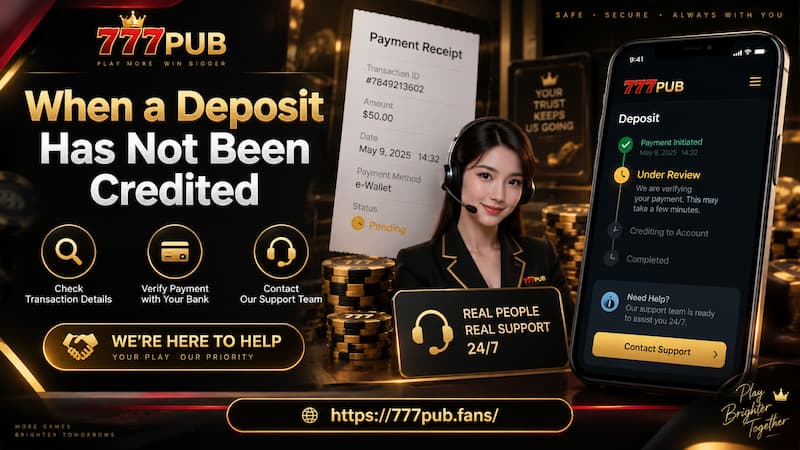
When a Deposit Has Not Been Credited
Instead, check the original payment first.
Review the Payment Details
Follow this order:
- Confirm that GCash marks the transaction as completed.
- Compare the amount sent with the amount requested by the cashier.
- Confirm that the QR code came from the latest Deposit request.
- Refresh or reopen the cashier and check the balance.
- Review the transaction history if available.
If the payment still cannot be matched, prepare the transaction details and contact support rather than creating another deposit immediately.
Keep the Reference Number Ready
A useful payment report should contain specific information, not simply “my Deposit is missing.”
Prepare:
- Account details used for the Deposit
- Exact Peso amount
- Date and transaction time
- GCash reference number
- Screenshot showing successful payment
This gives support a clear transaction to trace and reduces back-and-forth questions.
Deposit Details to Check Every Time
Even regular users benefit from treating each Deposit as a new transaction.
Payment details from a previous session should not replace the current information shown in the cashier. Select the active GCash route, use the newest QR, and match the requested amount exactly.
The same applies to bonuses. A first-deposit promotion can make the displayed balance look larger, but the Deposit and bonus are still two different parts of that balance.
A reliable routine is simple: Check the channel, check the amount, check the bonus, pay once, then confirm the credit before starting another transaction.