

Withdrawal at 777pub: Cash Out With Fewer Mistakes
Withdrawal at 777pub turns an eligible balance into a cash-out request, but the few details entered on that screen deserve more attention than they usually get. Before confirming, check the withdrawable amount, receiving method, account number, beneficiary name, and any fee shown for the transaction.
777pub Withdrawable Balance
This is the amount currently available for a cash-out request. It is more useful than simply remembering how much you deposited, how much you recently won, or what balance appeared elsewhere in your account. If the withdrawal screen says the withdrawable amount is ₱3,500, that is the figure to work from when deciding how much to request.
If 777PUB displays 0, there is currently no amount available to enter on that screen. Rather than guessing why or repeatedly submitting different amounts, check the account status and any conditions attached to the balance first.
The distinction becomes important after several transactions. For example, imagine you deposited ₱1,000, played several games, and later saw ₱4,250 in your account. That does not automatically mean ₱4,250 should be typed into the withdrawal box. The sensible sequence is to open Withdraw and check the amount actually listed as Withdrawable.
Treat the Withdrawable figure as the starting point for every cash-out decision, not the balance you remember seeing earlier.
Once that figure is clear, enter the Peso amount you want to withdraw. A quick digit check is worthwhile here. Typing ₱10,000 instead of ₱1,000 is an easy mistake on a phone and an unnecessary one.
Choose the Right Withdrawal Method
The withdrawal screen offers three receiving options:
- GCash
- PayMaya
- Bank Card
The best choice depends less on habit and more on where you want the money to arrive, which account details you can verify immediately, the fee displayed for the request, and how quickly you want the transaction processed.
GCash Withdrawal
GCash is straightforward when the wallet is already part of your normal payment routine. Its popularity as a GCash payment method in the Philippines also means many players are already familiar with using the wallet for gaming-related transactions. After choosing GCash, pay close attention to the fields for the receiving account and beneficiary name.
The account number should be checked directly against the GCash wallet rather than entered from memory. Philippine mobile numbers are familiar enough that people often type them quickly, which is exactly when one incorrect digit slips through.
The same care applies to the beneficiary name. If your wallet is registered under Juan Miguel Santos, entering only Juan because that is what friends normally call you creates an unnecessary mismatch between the details you submit and the account receiving the money.
Before moving on, compare:
- The receiving number
- The beneficiary’s full name
- The amount being withdrawn
- The fee displayed for that request
A few extra seconds here are far easier than trying to deal with incorrect receiving information after submission.
PayMaya Withdrawal
PayMaya is another wallet option available in the withdrawal menu. The cash-out screen recommends PayMaya when speed is the priority and states that PayMaya withdrawals are faster than GCash.
That message is useful when choosing between the two wallets, but it should be read as a method recommendation rather than a promise that every transaction will arrive within an exact number of minutes.
When sending money to a Maya Wallet, the registered 11-digit mobile number is commonly used as the wallet account number. Open Maya and verify the registered number before copying it into the withdrawal form.
Suppose you maintain two Philippine SIMs, one ending in 4821 and another ending in 7396, while only the second is linked to Maya. Guessing which one you registered months ago is a poor shortcut. Open the wallet, confirm it, then enter the number.
Bank Card Withdrawal
Bank Card appears as a separate withdrawal choice and can be useful when you prefer funds to move through a banking route rather than an e-wallet.
After selecting it, follow the fields displayed for that method. Do not assume that details used for GCash or PayMaya will be identical for Bank Card.
Before confirming a card-related withdrawal, check:
- The information requested for the selected card
- The account or card details entered
- The withdrawal amount
- The displayed fee
- Any instructions shown before submission
Supported institutions, limits, and processing conditions can change, so the information shown during the actual request is more useful than an old screenshot or a rule remembered from a previous cash-out.
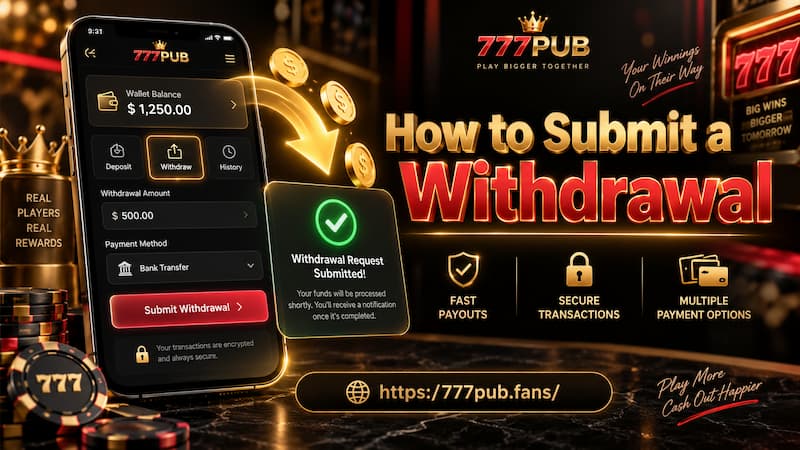
How to Submit a Withdrawal
The process is short enough that rushing usually saves almost no time. A better routine is to treat each field as a checkpoint.
How to Submit a Withdrawal
- Open Withdraw and check the Withdrawable amount.
Make sure the amount currently available is enough for the cash-out you have in mind. - Enter the withdrawal amount.
Type the Peso value carefully and check the digits once more before continuing. - Select GCash, PayMaya, or Bank Card.
Choose the destination where you actually want to receive the money. - Enter the receiving details.
For GCash, this includes the account number and beneficiary name. Other methods may present different fields. - Read the Withdrawal Fee.
Do this for the current request instead of assuming that every method costs the same. - Review all information.
Compare the amount, method, receiving number, beneficiary details, and fee. - Tap Withdraw.
Submit only after the information matches the destination account.
If a transaction confirmation or reference appears after submission, keep it until the withdrawal has been completed.
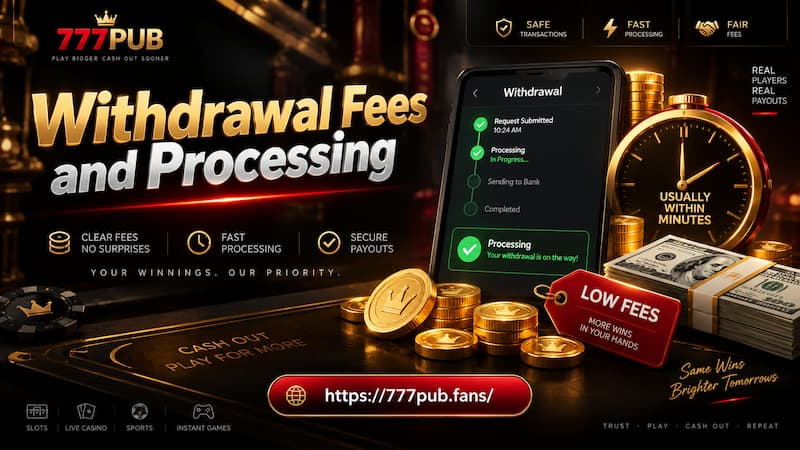
Withdrawal Fees and Processing
The Withdrawal Fee field deserves attention because the amount requested is not always the only figure relevant to the cash-out.
For example, a player entering ₱5,000 should not automatically assume the final receiving amount without checking the fee displayed on screen. The useful comparison is between the methods available for that exact request.
Withdrawal Fees and Processing
When deciding between GCash, PayMaya, and Bank Card, consider four things:
- Fee: What charge is displayed before confirmation?
- Destination: Which account do you actually want the money sent to?
- Speed: Is the withdrawal urgent, or are you comfortable waiting?
- Accuracy: Which receiving account can you verify confidently right now?
PayMaya may be attractive when speed is the main concern because the withdrawal screen specifically recommends it over GCash for faster processing. Still, avoid treating that wording as an exact arrival-time guarantee. Processing can depend on the transaction and receiving method.
A useful habit is to stop comparing methods once a withdrawal has already been submitted. If the first request is still processing, check its status before creating another identical one. Sending a second request simply because the first has not arrived yet can create more confusion than waiting for the original transaction to finish.
Common Withdrawal Mistakes
Most cash-out problems begin with small details rather than complicated technical issues.
Entering the Wrong Account Number
This is one of the most important errors to avoid. The withdrawal screen itself warns users to make sure the account number is correct.
Do not rely on recognizing the first or last few digits. Compare the full number against the receiving wallet.
A simple routine works well:
- Open GCash or Maya
- Confirm the registered number
- Return to the withdrawal form
- Compare every digit
- Submit only after they match
Using a Different Beneficiary Name
If the form asks for a Beneficiary Name, use the full name associated with the receiving account whenever possible.
Nicknames such as Jun, Mike, or Jen may be perfectly normal in daily life, but financial account details are better entered exactly as registered.
Requesting More Than the Withdrawable Amount
The withdrawable balance should be checked before entering the amount, not after.
If ₱2,800 is currently shown as Withdrawable, entering ₱5,000 because you expect another balance to become available later does not improve the request. Work with the amount visible at the time you are actually withdrawing.
Ignoring the Fee
A withdrawal fee is easy to overlook when the main focus is getting the money out quickly.
Read the fee before tapping Withdraw. If you have more than one receiving option available, this also gives you a practical basis for comparing them.
Submitting the Same Withdrawal Twice
A pending request is not the same as a failed request.
If you already submitted ₱3,000 to GCash and the transaction is still being processed, check the existing request before submitting another ₱3,000. Duplicate attempts can make account tracking unnecessarily messy. If you are unsure how a pending request should be handled, check FAQs before creating another transaction.